Now that Nomad is finally on PC, I suspect more people are going to try it out, maybe even long-time ZBrush users! (like myself). But trying it out on the iPad a couple months ago, I noticed I had some trouble switching over. ZBrush was hardcoded in my brain, so I struggled to get comfortable.
This is why I decided to recreate some of my favorite and most used ZBrush brushes in Nomad Sculpt! The program is really great, and with these new brushes sculpting will feel silky smooth and comfortable! Favorites like DamStandard, ClayBuildup & some Orb brushes!
Installation instructions are included inside the ZIP file both for PC as well as for iPad! (Currently they are optimized for PC, but if you’re downloading them for iPad you might need to change some intensity settings for some brushes. The iPad pencil behaves slightly differently compared to my Huion Tablet.)
Let me know if they work for you! And if you like them too of course.
And if anything doesn’t work or you have a question do hit me up
Some extra info:
There’s a couple brushes with names similar to well known brushes/creators, (e.g. “Folly_Mech”, “Selwy_Pinch” & some Orbs brushes.) but those are either ports with permission or just copied to behave very similar to the brush of the same name (In the case of Orb, ports were permitted to be made! I just gathered similar alpha’s and tweaked the feel of them inside of nomad.)
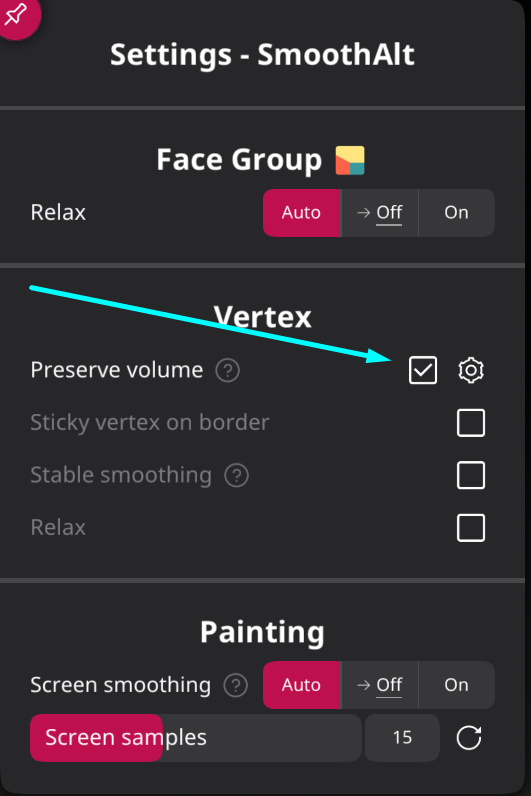
SmoothAlt from ZBrush is also included in the brushes! (You can switch the Shift-Binding in the bindings menu inside of Nomad if you want to switch the default Smooth brush)
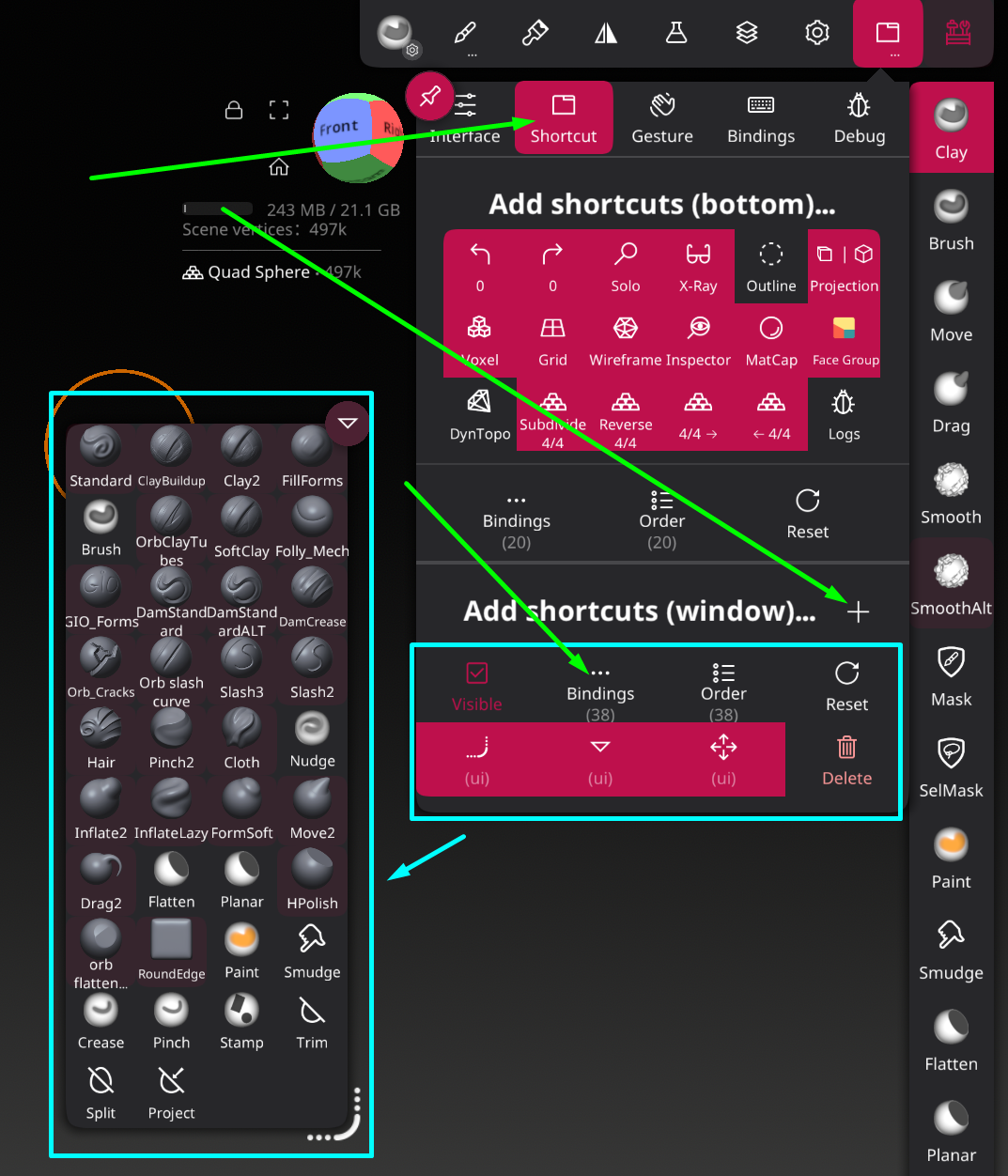
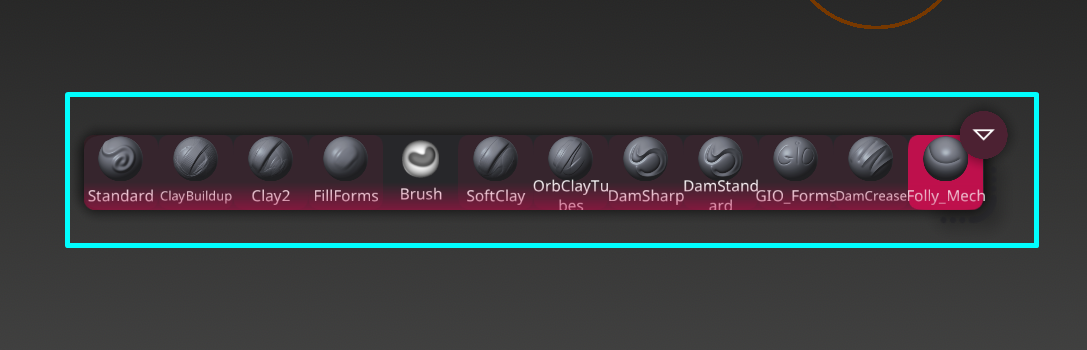
As someone used to having brushes in custom menus or on the UI, being able to have a custom Menu I can drag around is very big plus! Luckily on the new Desktop version of Nomad we can!(I think you need at least a new Beta version)
Highlighted in Blue is a custom shortcut window in which you can add a whole list of different things, in my case, brushes!
Hello. Thanks for these brushes. Is the “preserve volume” option only available for the desktop version of Nomad or will it also be available for the tablet version?
Good question actually, I don’t see it on the iPad either, so I assume it’s desktop/Beta only at the moment
I imagine with the next real update it will be pushed to both PC as well as mobile devices but I don’t know anything about that of course, so don’t take my word for it.
I just downloaded these brushes and I really like them. Thank you for sharing these and taking the time to make them. They feel just like my favorite brushes in Zbrush. Going to have a lot of fun with these!