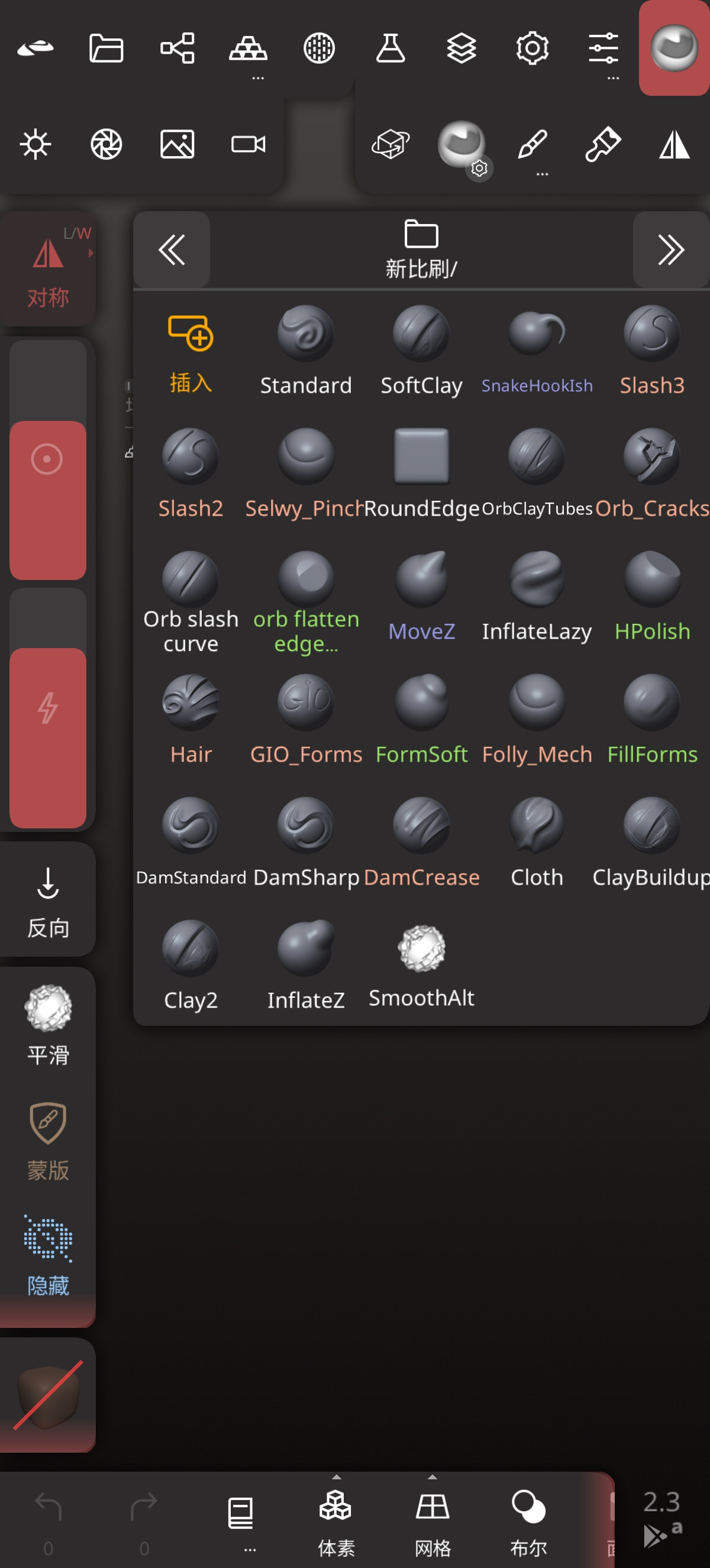
Thanks so much for the Brushes.
2 Likes
Thank you very much.
2 Likes
omg thank you so much!! the fact that there’s the GIO brush as well shows how great the sculpting community is.
Now we need cloth simulation and zmodeler brushes in Nomad lol
3 Likes
Bedankt Jurre!
I’ve been a long time ZBrush user and am looking to see if I can switch over to Nomad for Desktop. I purchased the iPad version at launch but never quite got used to it. I’ll definitely need to look into reorganizing the UI like how I have my Zbrush setup (old habits die hard).
Are there any other specific changes you would suggest to make the switch easier? I sculpt for 3D printing so scale consistency is important for example.
Additionally… My most minor of pet peeves: do you know if it is possible to have actual fullscreen window on desktop? I don’t need my taskbar visibile on my display tablet. Nevermind! finally found it after exploring the UI deeper. 

@debiroux Geen probleem haha!
Besides there being a measure tool I am not sure about scale inside of Nomad. I don’t think there’s a similar thing like zbrush scale master, but I do know there’s some tutorials online!
(Although this might just be setting up a “ruler” object to base all your sculpts on.)
But the UI is actually quite organizable. Besides the custom brushes and changing some hotkeys, I basically copied some of my zbrush quick menus using the “add shortcut” option under shortcut.
Not everything is possible like in zbrush, but you can really add a lot of details and buttons into those shortcut windows! (You can also make them static so they’re part of the ui instead of draggable, as well as assigning a hotkey to a specific shortcut windows so it opens and closes at the press of a button.
3 Likes
I just got here minutes ago and I’m already grabbing stuff I have no idea how to use. But I saw Zbrush! And I said, “Hey! That’s the program I had fifteen years ago that I had no idea how to use!”
I’m making a promise not to open anything until I get back in sculpting shape, so thank you. Now I have some motivation to get crackin’ on this. Cheers!
2 Likes
This is great! thank you.
1 Like
Just what I was looking for, thank you.
1 Like
Thanks a lot for these brushes. I love them.
Stayed up late testing out your brushes. Definitely an upgrade! Please elaborate on the switch between SmoothAlt & ZBrush Smooth? Don’t quite get what you mean there.
Hi, maybe you can help. We’re currently discussing in the NomadSculpt Discord whether it’s possible to configure a brush to behave the same way as in this video example. The artist is flattening the side of the nose, but the lip area is affected 0% by the brush, which creates a perfectly sharp edge.
We simply can’t manage to set up a brush in Nomad that behaves like this ZBrush example.


Maybe you have experience with this, or maybe one of your custom brushes works exactly like that — I haven’t tried all of them yet.
It would be great if you could share any insight.
3 Likes
I think I suggested switching the Smooth binding you use with “shift” on a keyboard with my custom SmoothAlt version. But this might not work when pressing the smooth button icon on the left side of the UI.
What I would suggest now is copying the smoothAlt brush settings over manually to the default smooth brush, then saving the default smooth configuration. (Which you can reset by clicking on it again and pressing reset)
With that default smooth brush altered to my SmoothAlt settings I now enable and disable the relax and Preserve Volume button whenever I want the smoothing to preserve some volume!
Hope that clears it up a little.
1 Like
Heya @Holger_Schoenischka !
I could share some insight! While ZBrush has way more annoying and ‘advanced’ brush customization options, you can get pretty close to those results actually!
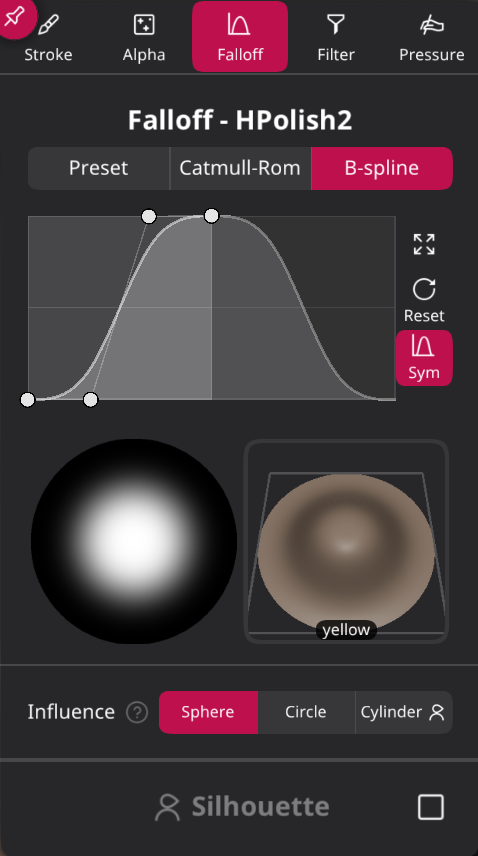
I made some changes to my HPolish brush in my brushes file that I will share with you here! It should behave more like ZBrush now.
Also a video showcasing ZBrush and Nomad side by side. (All was recorded on desktop, your mileage may vary on Nomad for the iPad, but I think only brush intensity/pressure might need some tweaking for iPad!)
If you play with the Depth settings as well as the Area Sampling settings in Nomad you can get a very close feel. Attached is a video with me sculpting in a sort of similar fashion using my new HPolish2 brush. I will post screenshots of the settings too! (Side note: I can’t get the Fill mode for HPolish to work exactly as zbrush. Zbrush’s edges are sharper. But if you alternate between normal and Fill mode you can get a similar result)
Here’s the brush json as well as the screenshots!
Brush: HPolish 2.json (28.3 KB)




8 Likes
Great, thanks. These brush settings for the Flatten tool actually feel really good.
Of course I’ve also been experimenting with brush settings, and I think I’ve now found a combination that works really well for me: my Planar tool together with your brush — the HPolish 2. For me that creates a perfect combo to work with.
Planar Holger Test 1.json (4.6 KB)
5 Likes
Gotcha, thanks mate!
1 Like
Another quick tip:
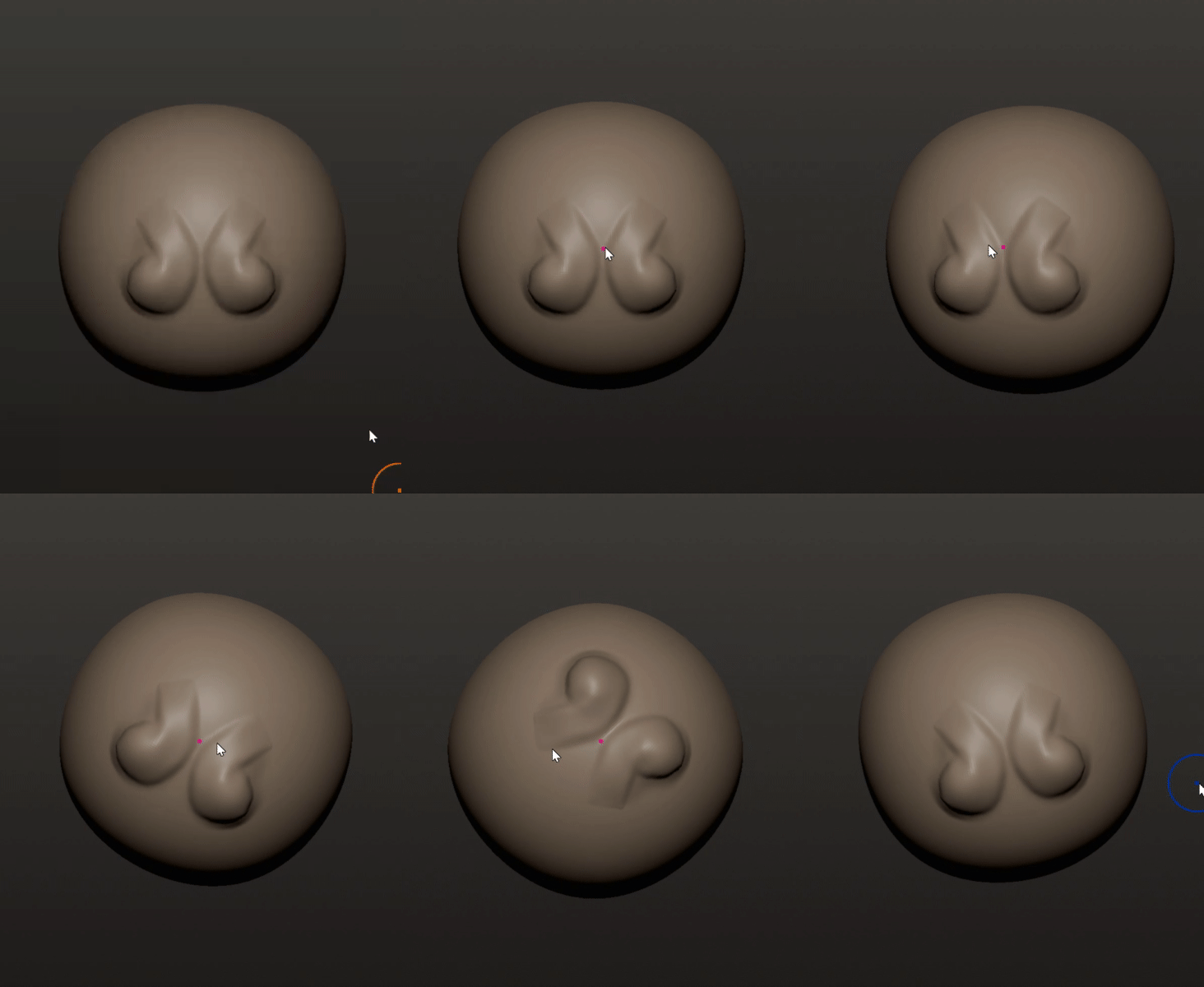
If you’re struggling to rotate your mesh without touch/finger support, try these!
Button binding:
You might need to create your own binding first:

You can rotate your mesh in a circular motion when holding ALT + SHIFT and clicking or right clicking! (Or create your own binding!)
Trackball options:
Or change your trackball option and move the cursor in a circular motion 

6 Likes
Also if you’re wondering if you can recreate the Roll/Twist function of the apple pencil on desktop, you can!
Barrel Roll example (Credits to Matt!):
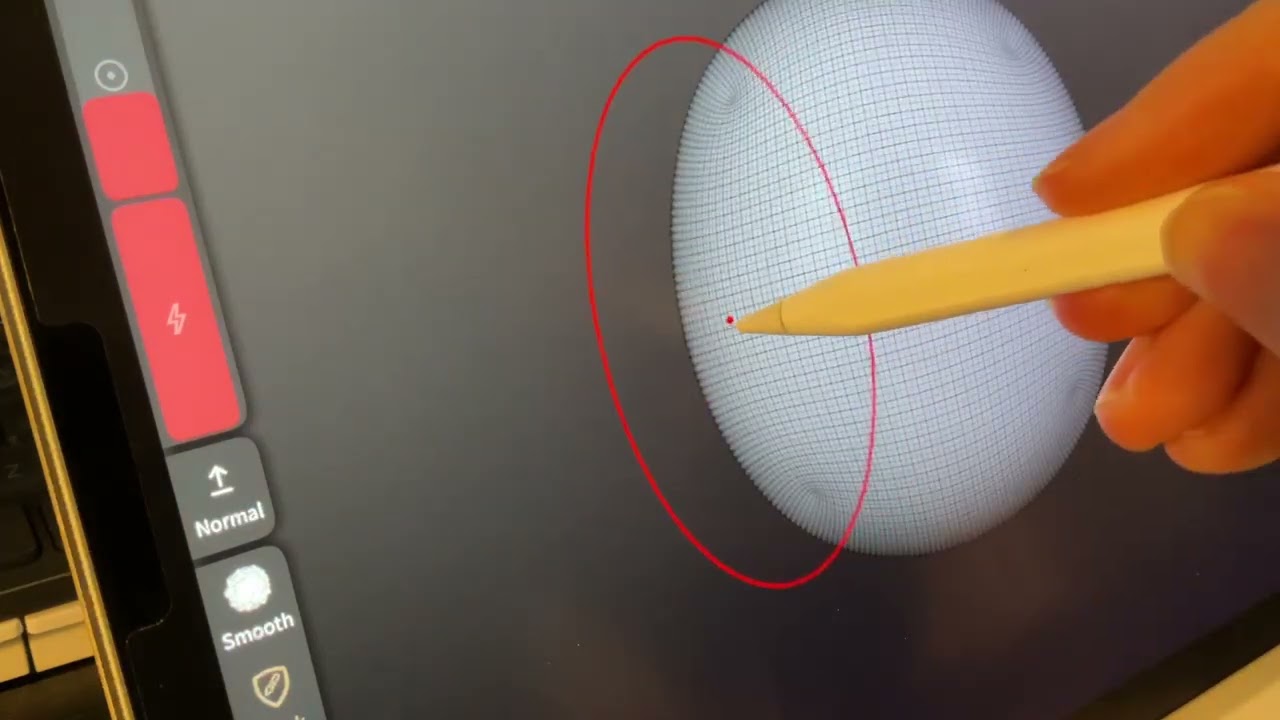
If you’re using the drag or move brush, hold SHIFT while moving geometry to enable the barrel roll functionality:

10 Likes
NomadZBrushes_v02.zip (6.4 MB)
New Pack updated with the new HPolish2 brush!
8 Likes
Dat is een mooi setje ZBrush kwastjes Jurre, bedankt man. Het zijn precies dezelfde die ik ook alleen in ZBrush gebruik.
1 Like