Is there a setting I may have accidentally turned that would make all brushes only sculpt on one planar surface of a mesh? If I start sculpting with the brush tool on a box that has been validated and remeshed the sculpting stops at the edge of the face plane. It only goes onto a new plane of the mesh if in lift the pencil and sculpt on the new face. It’s like the tools won’t go between the planes. Image attached.
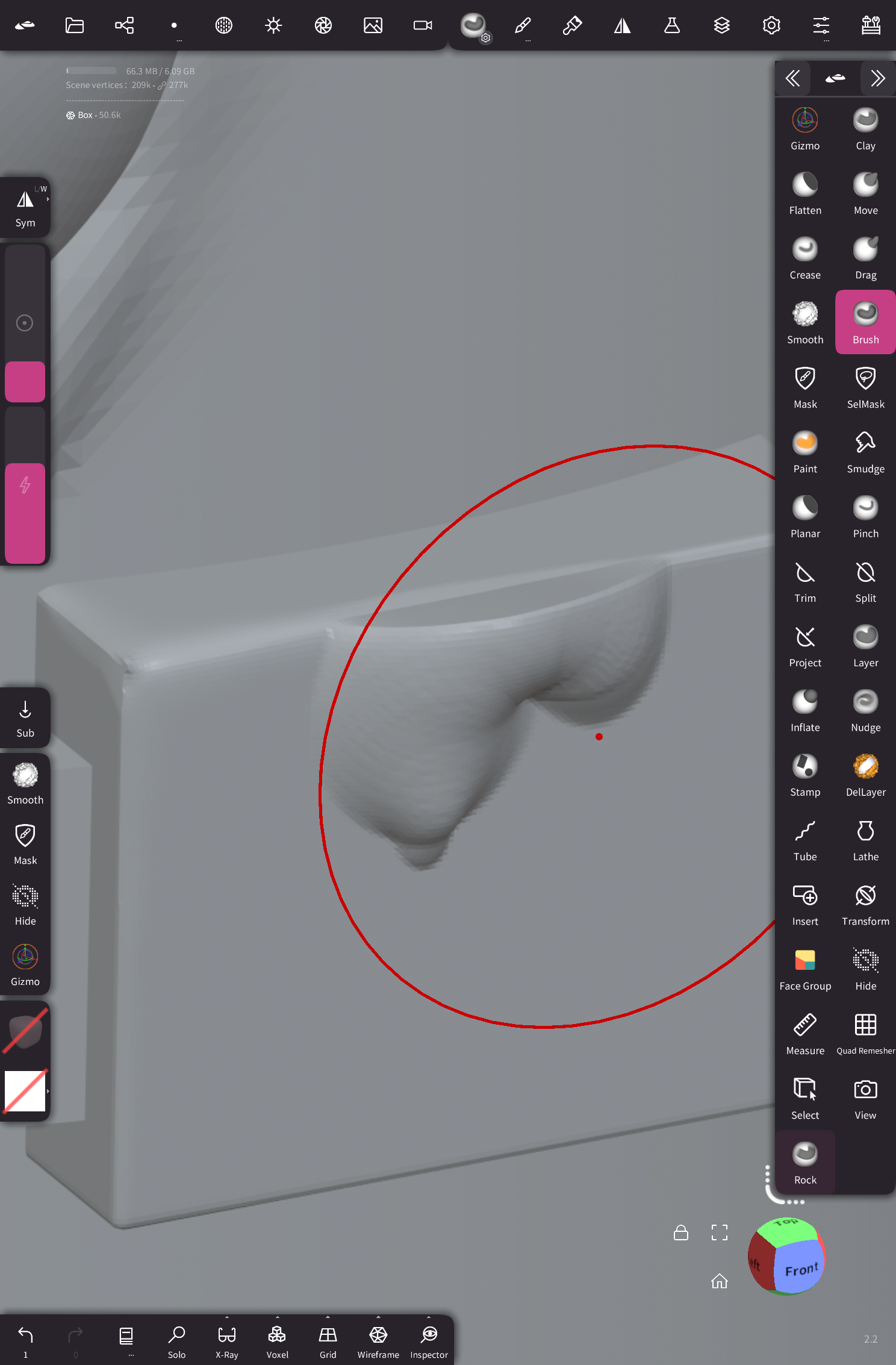
I tried recreating your exact problem but couldn’t, so maybe I missed something… It kind of looks like maybe you turned off area sampling, but that still looks a little different on my end. Area sampling is found under the filter options.
Does it happen with all brushes? Or just the “brush” brush?
What you could try is tapping the “brush” brush in the toolbox, and hitting “reset” or “last save”.
This should reset the brush to the original settings.
If the issue persists it might be unrelated to the brush settings.
Yeah it happens with all brushes, I first noticed it with the flatten brush but the Brush brush was the easiest to show in an image. I found area sampling and it is on. This is on a new iPad that has been restored from backup. This is the first project i’ve worked on.
It’s really strange and I’m struggling to find a setting that could cause it. I’ve added different meshes and new scenes, they all do the same.
I just renamed the settings.json file and quit Nomad so it would create a fresh one and the weird sculpting issue went away. I’m not sure if something got corrupt when I restored my iPad from backup or if there is a setting in the app somewhere that I am missing. Even really old projects were having the same issue.
I’ll just start setting the app and tools up the way I like again. Very weird.
Ah too late.
it was definitely a setting, probably in (tool) Filter menu → Protect Area → FaceGroup.
Boxes typically have one facegroup per plane so it would explain things (and by default the tool “protect area” settings are shared)
Oh thanks I’ll have a look at that setting and see if I can fix it. Nomad is such a powerful app I feel like I only scratch the surface of what it can do. Thanks for the reply.
1 Like
Thanks @stephomi that setting was the issue. I reloaded my old settings json file and checked that, I had protect area set to the face group. I now vaguely remember working on a project a few weeks ago where I need that. Damn my memory.
Thanks again