Hello ladies and gentleman,
I would like to ask you about how the Trackball navigation works on PC version? I have used Nomad only on Ipad in here its very simple → just using two fingers and even though I am using Blender with the same option it seems a bit different and I cant wrap my head around it.
How can I simply rotate my object so my orange axis is traight again? For example in Blender I will just put my cursor outside of object and rotate in directiong for red arrows.
It sounds like very dumb problem but for some reason I just cant get hang of it. xD
Thanks everybody
Have a nice day
You can hold ALT + SHIFT and click on the model using your mouse/pen or use right click to rotate!
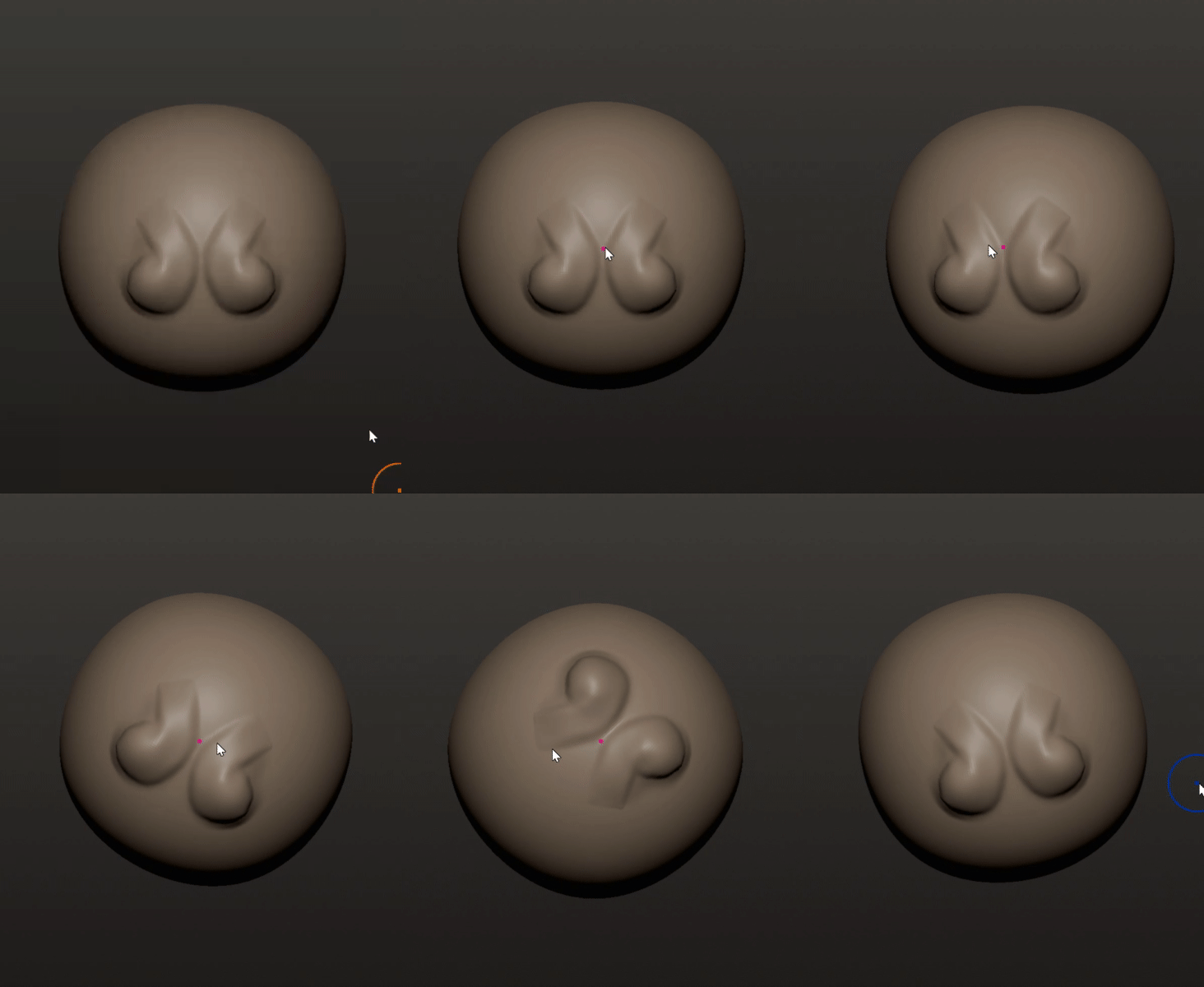
Also here’s a showcase of the difference between the two trackball rotation options 

Thanks buddy. It helped. It still feels a bit odd to me for it to be working like this. But I think I will get used to it
Thank you
See ya 
@Adam_Beranek Sorry I made a slight oversight! I can’t remember if SHIFT + ALT is default or not.
You might have to change the roll binding in the Bindings menu!

I don’t like the rotating trackball option either, so maybe this helps!
It wasnt but I found that out
Thank you a lot. I am not sure if you know how trackball option works in Blender → for me in Blender it fits so good and would like to see in here as well
But who knows
Isn’t this trackball option the same as in Blender?
I don’t feel a noticeable difference but I am not as used to trackball in blender, so it might be different.
Its actually a bit different. In the video watch where I have my cursor, to me it is very different compared to Nomad Sculpt trackball
Ahh yes I see.
I think that is because Nomad pivots only on objects, which I like more, but blender has pivots outside of meshes too (cursor location/rotation outside the mesh).
Not currently possible in Nomad I believe.
Oh I see. Well I hope it’ll be in future
Because for me it feels super good.
Thank you for your time and see ya 
Dne ne 30. 11. 2025 18:16 uživatel Jurre de Groot via Nomad Sculpt <notifications@nomadsculpt.discoursemail.com> napsal:
You can control pivot management in the camera menu, maybe try to disable all the pivot update.
Note that Nomad does allow “air” pivot (outside mesh).
Thanks for the tip, but where can I find all these options? I am not sure if I found the right ones.


