Sorry for adding a second one so soon, but if you’re using a reference image it would also be nice to have some sort of zoom feature for that that may lock in the primitives you’re working on, but would effectively zoom in on the image so you can see it better. I keep trying to zoom in regularly (pinch) and keep messing up what I’m working with.
1 Like
Hi, I’ve been using ZBrush for a while, using images underneath the material, and I found a similar way to do it in Nomad, only from the front perspective or wherever you decide to position yourself. I hope it helps.
Step 1: Center your subject on the desired plane.
Step 2: Go to the Background section, import the image, and adjust the position to your preference. Remember you can use the overlay to make the image transparent as desired.
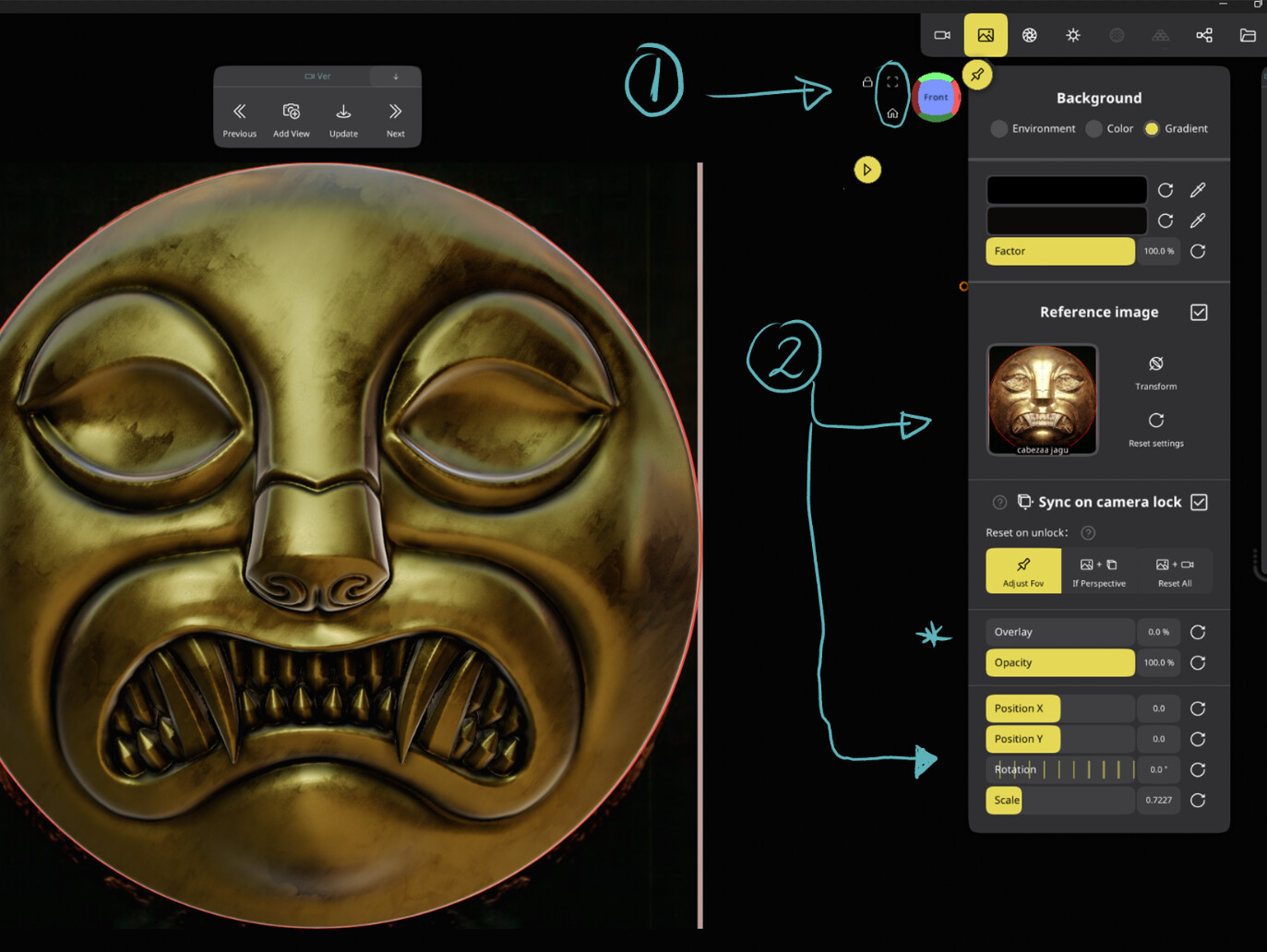
Step 3: In the Camera section, add a new one. There you’ll see that it’s memorized with the imported image.

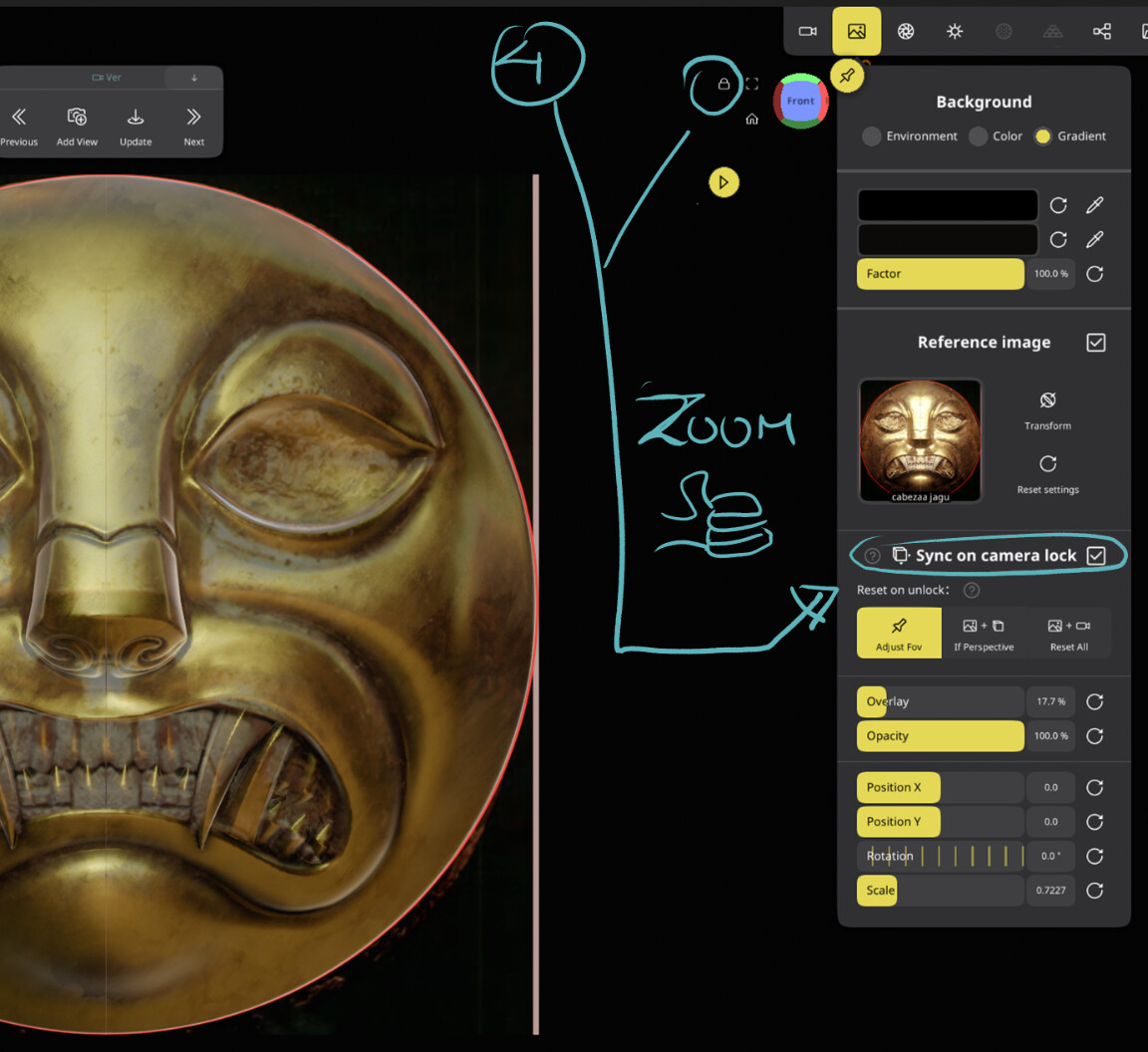
Step 4: This is the most important part. Go to Background again and activate Sync on Camera. This way, every time you want to have the reference photo properly aligned with your object and you can zoom in as much as you want without changing the image scale, just lock the plane with the lock icon. Remove the lock again so that you can move in perspective and each time you want to go back to the correct position to lock again, look for your created camera.
1 Like