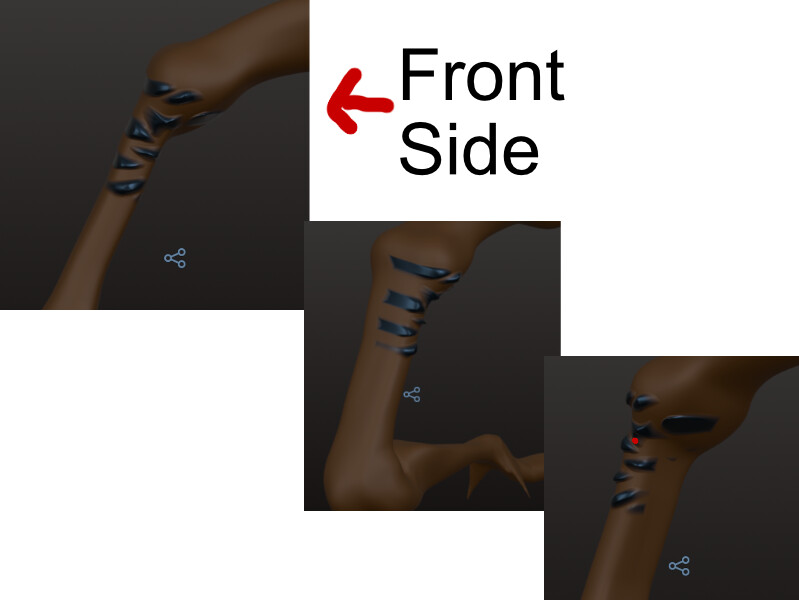
How do I keep stamp from doing any deformations on the back side of a model? In addition, it appears it’s pull to me, so it’s growing on one side and subtracting on the back side. I want it to ignore the back side and in some cases, I may want it not to, but to grow or subtracts both in front and back, not just pull towards me causing this disparity where it grows on one side and subtracts on the other.
Note: I don’t have symmtry on, so that’s not affecting this.
1 Like
In the brush settings > Filter > enable the Front Facing Vertex Only option
1 Like
Thank you. I would have never have thought to look for it under ‘Filter.’ However, it still doesn’t work well. If it’s only to affect front faces, it shouldn’t be stretching both bottom and top areas of this. I’m getting the sense I need to use 3DCoat for doing any detail/painting, as it reacts more predictably than this.
It’s hard to see what you’re doing with the pics you’ve posted. being able to see the whole scene with your settings would help. Can you post a video or something?
A couple other things:
- could symmetry be enabled and it’s making the backside move due to symmetry overriding front facing vertex option? Note: Check local vs world symmetry options
- have you “baked” your object? Sometimes when moving/rotating the object, the symmetry lines and/or front & back aren’t where you think they are or should be.