Hey everyone,
I’ve been using Nomad on desktop and was wondering if it’s possible to dock tabs (like the Scene tab) to the side of the screen (left or right). Not just pinning them, but actually dragging a tab and keeping it docked on the side, kinda like how Photoshop or ZBrush lets you arrange your workspace.
I couldn’t find anything about this online. Does Nomad have a way to do multi-docking or customize the UI like that?
Thanks for any help!
I don’t think that’s possible as of yet, only pinning seems possible.
I’d love that as well! Especially for the desktop with extra screen space.
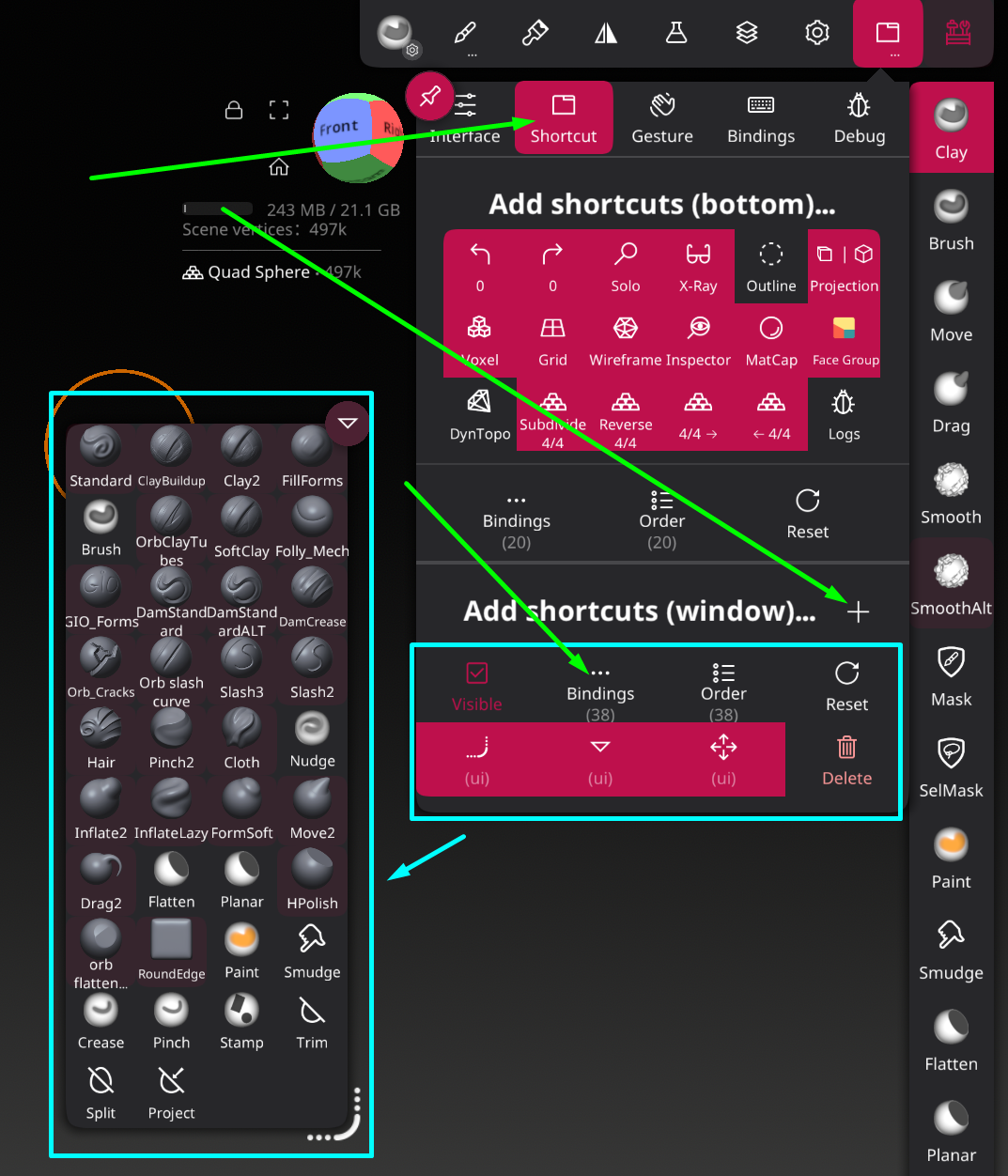
You can however create custom windows with your own shortcuts to create similar quick menus as you can in ZBrush! There’s many shortcuts (Bindings) to choose from, with more added down the line I imagine. In ZBrush I always use a quick menu with my brushes, so I created a similar one for Nomad!
Images for ref:
______
2 Likes
There is actually a way to dock the stroke painting window!
1 Like
Sorry for the reply thank you it helps a lot having that!
1 Like