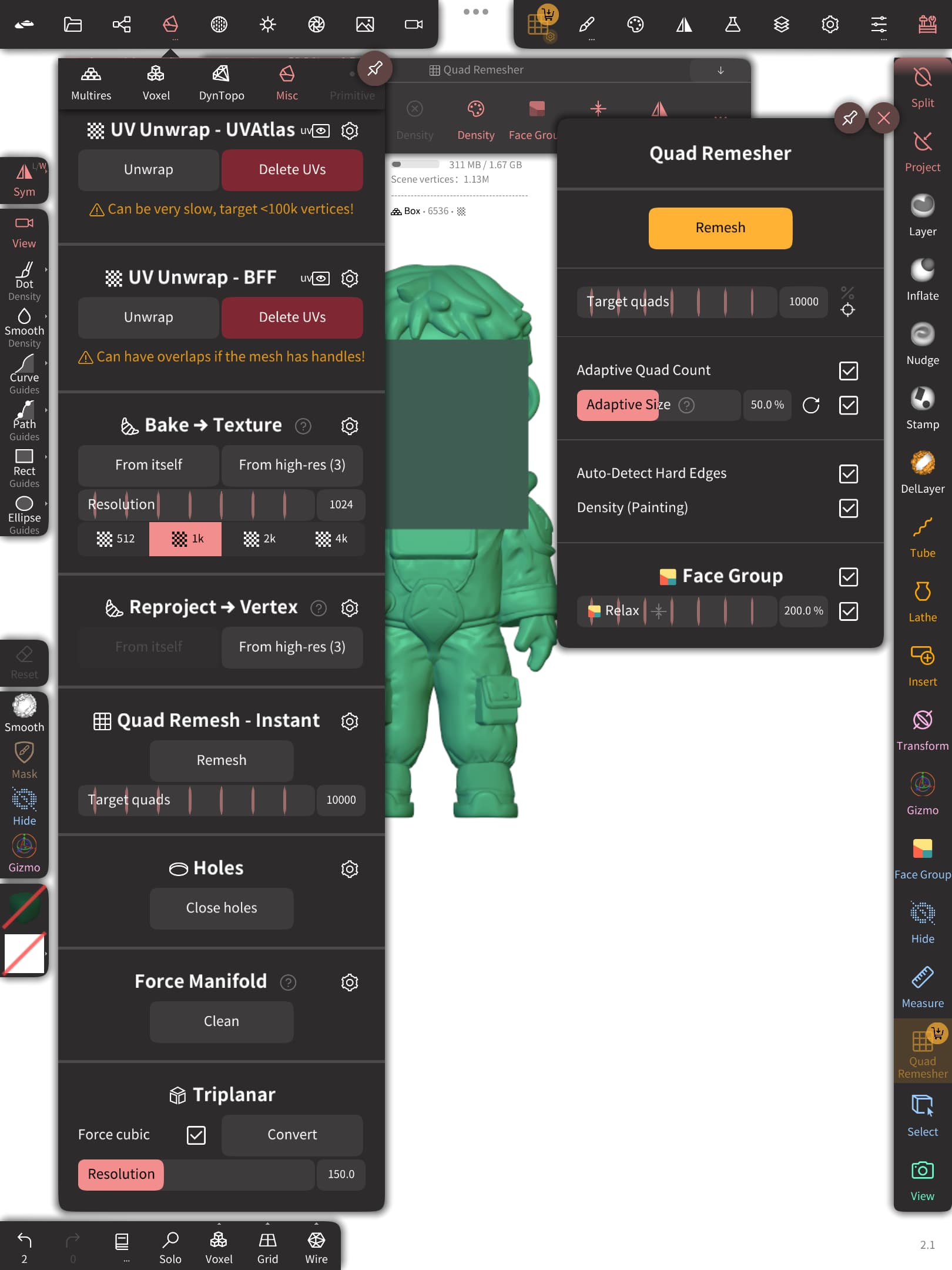
my question is whats the different between this “free quad remesher” and the paid ones? because in my experience (i just learning 3d this month im a noob) i think the free quad remesh do the same thing with the paid ones. or maybe the paid ones have some advance feature? btw i hope this is not a bug or a mistake by the developer (i be so mad if it is, cuz maybe they remove this feature😭)
No worries - there are two built-in remeshers (Instant, and Quadriflow, which has to be enabled in the debug menu), but their output can be messy, or even completely broken sometimes. They’re also incapable of producing a symmetrical output as far as I know. They’re considered dead ends, but I’d be lying if I said they weren’t occasionally useful. They’re also both available on Android, which is a plus.
Which one would be the “less worse” of the two? I’ve been trying to use the “Instant” one on a fairly simple object but it gets stuck at 25% and freezes the app. The results on the quadriflow one are less than stellar, indeed.
It just depends on the object you’re remeshing. There’s not a whole lot of logic to it as far as I can tell, so your best bet, is to try both and see which one produces the cleanest topology for each scenario.
It’s definitely worth it, and it’ll give you by far the cleanest topology out of all the ‘fire-and-forget’ options that I’m aware of. If you need a good ‘how-to’ guide for it, I know Vertex Senpai, and ProcreateFX both touch on that on YouTube, and both post here as well. Give em a look!
If you’ve got a picture of what it’s doing, I’d be happy to have a look. I don’t use QR as much as some users, but I can diagnose quite a few odd behaviors.
Thanks bro, I really appreciate it. I’ve only been experimenting with it so far, but if I run into any issues down the line I’d be grateful for your help.